> ## Documentation Index
> Fetch the complete documentation index at: https://docs.tiptons.co.ke/llms.txt
> Use this file to discover all available pages before exploring further.
# Quickstart
Tiptons Analytics is Kenya's most comprehensive school management platform designed to automate attendance, fee collection, academic records, exams, and parent communication from a single, secure, cloud-based system. Whether you run a primary school, junior school, high school, or college, Tiptons Analytics keeps your institution running smoothly and professionally.
## **1. Create your Tiptons Analytics School Account**
**Open the registration page**
In your browser, go to:
```text theme={null}
https://analytics.tiptons.co.ke/register
```
This page lets you register your School as a new Tiptons Analytics school Account
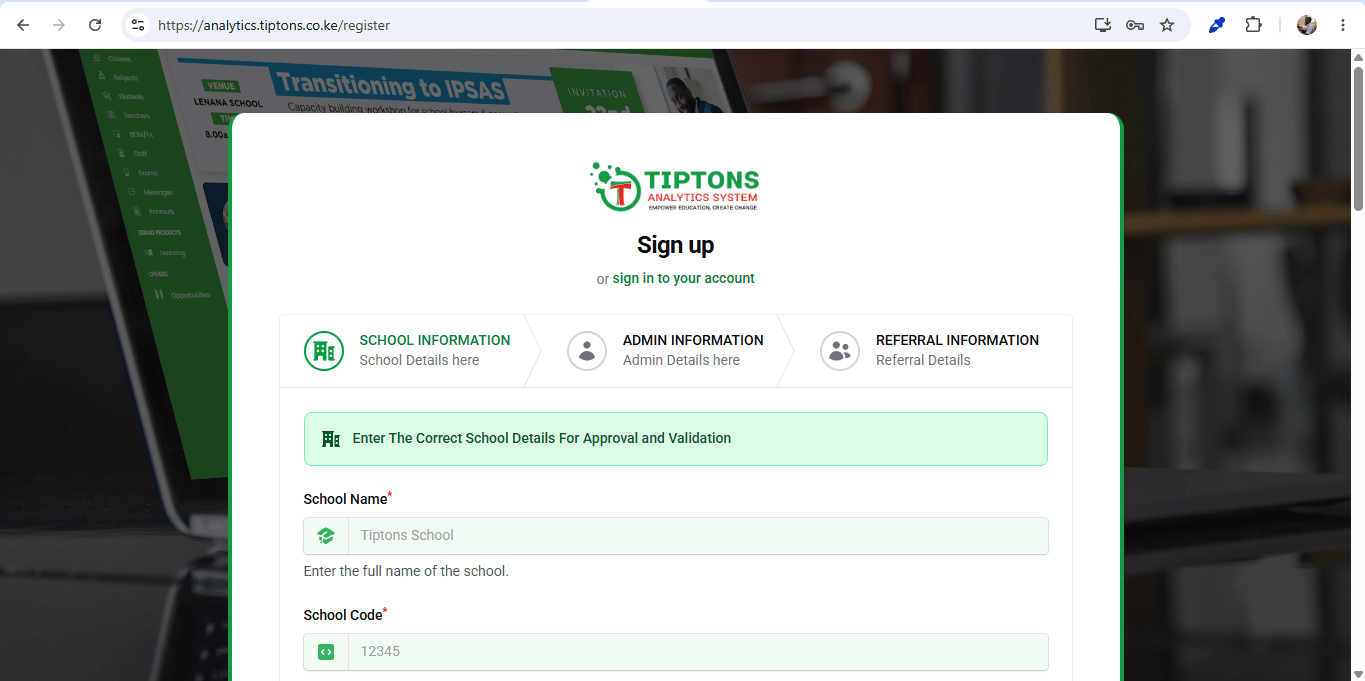 ## **2.Fill in your School and** Administrator **details**
On the registration form:
* Enter your **school detail**.
* Check your inbox and **verify your email** if you are asked to confirm it.
* Enter your **company/ISP name** – this will be used to create your dashboard address in the format\
`your-company.centipidtechnologies.com`.
* Choose a **strong password** and confirm it.
Submit the form to create your Centipid account and dashboard.
\\
## **2.Fill in your School and** Administrator **details**
On the registration form:
* Enter your **school detail**.
* Check your inbox and **verify your email** if you are asked to confirm it.
* Enter your **company/ISP name** – this will be used to create your dashboard address in the format\
`your-company.centipidtechnologies.com`.
* Choose a **strong password** and confirm it.
Submit the form to create your Centipid account and dashboard.
\\